
If you’re like me and waste far too much time on Instagram, you’re well acquainted with the phrase “link in bio.” So why does seemingly everyone use a linktr.ee URL, and what is Linktree exactly?

In this post, I’ll tell you everything worth knowing as you decide whether to use Linktree or its alternatives. I’ll also give you advice on how best to use Linktree for social media marketing and more.

Here’s exactly what I have in store:
What Is Linktree?
Linktree is a tool for creating a personalized link that acts as a menu — in other words, a page that lists several other links of your choice. There’s a free plan and a paid plan. People typically put a Linktree link in their profile description on Instagram, LinkedIn, Facebook, TikTok, and other social networks. Users click it to navigate to a homepage, shop, other accounts, and more.
With over 40 million users, Linktree is a hugely popular fixture on social media profiles. I’ve noticed it in the Instagram bios of everyone from small business owners to A-list celebrities. If you want your followers to navigate to your Patreon, business webpage, ecommerce page (e.g., Amazon, Etsy), podcast, or another social media platform, Linktree is perfect.
How Does Linktree Work?
First, sign up for a Linktree account. Second, specify the links you want to share with your followers. Linktree creates your personal mini-website to share these links. Third, add some level of customization. Lastly, copy your custom link and paste it wherever you please.
Still confused? Hold tight. You’ll find out more as I walk you through setting up Linktree.

Should You Use Linktree for Marketing?
If you have a social media presence for your brand, I recommend using Linktree as a digital marketing tool, whether you’re a content creator, ecommerce store owner, or working for a marketing agency.
Here are the features I appreciate the most when I use Linktree.
Free Linktree Features
When you’re running a marketing campaign, you need to move quickly. Linktree lets you do that; as you’ll see soon, there are no roadblocks to setting up Linktree. Even a free account lets you easily add all your links to a customizable, branded Linktree page.
Sure, the free version doesn’t allow you to change the button and font styles or hide the Linktree logo. In my opinion, that doesn’t matter, especially for a freebie.
Paid Linktree Features
If you’re serious about Instagram marketing — or you leverage Facebook, LinkedIn, X, or TikTok to build an online presence — you may need the paid version of Linktree to reap the max marketing rewards.
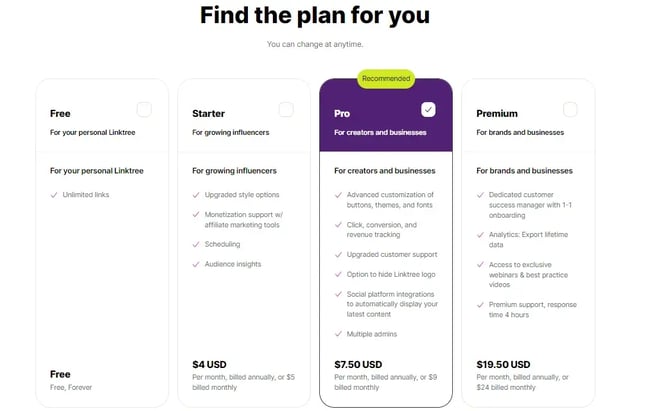
The starter plan ($5 per month) supports affiliate marketing. It has a handful of other features, but I wouldn’t recommend it.
I was much more impressed with the additional features of the Pro version ($9 per month). With this option, I can connect Linktree to my Google Analytics account and access Linktree’s array of built-in analytics features, like conversion tracking and location-based analytics.
However, I was disappointed that, on the Pro plan, I couldn’t export any of my analytics data. For that, you’ll need the Premium plan ($24 per month).
Alternatives to Linktree
Unsurprisingly, Linktree isn’t the only link-in-bio tool on the market. I’ve had a look at the top contenders to see if they’d make good homes for your links.
Later
Later’s Link in Bio should win a prize for having such an original name. Overall, Later specializes in social media management and influencer marketing, and I’ve heard a lot about how Link in Bio is great for ecommerce. When I tested it out, I found its free page customization options to be much better than what Linktree offers on its free plan.
Milkshake
With Milkshake, you use an app to create a custom website that houses your links. Personally, I prefer to use my trusty laptop more often (I find phones too awkward for the task), so the app isn’t a huge draw for me. That being said, I like Milkshake’s Cards feature: Users can flip through links just as you would with an Instagram Story.
Bear in mind that I haven’t noticed any Linktree alternatives actually popping up on people’s social channels.
I’d be doing you a disservice if I didn’t mention the less obvious alternative to Linktree. Erica Hartwick, CEO of Big Cat Creative, had this to say: “In all fairness, it’s just a landing page with a bunch of links on it; surely we could easily create our own.”
When you have your own website, there’s nothing particularly special about what Linktree is. Sure, it does have some extra perks, but I don’t see the point in getting them from Linktree if you use other marketing tools.
And I think you’ll agree. It’s easier to capitalize on traffic to your own landing page compared to a Linktree one.
How to Set Up Linktree
- Head to Linktree to create your free account.
- Give Linktree information about your account category.
- Select your plan type.
- Choose your page’s appearance.
- Add your first new link.
- Add a title, header, and thumbnail.
- Add as many links as you want.
- Copy your Linktree URL or directly share it to your social media account.
These steps are pretty straightforward, but I’m sticking around to help you plant your first Linktree.
Here’s a more detailed walkthrough with screenshots.
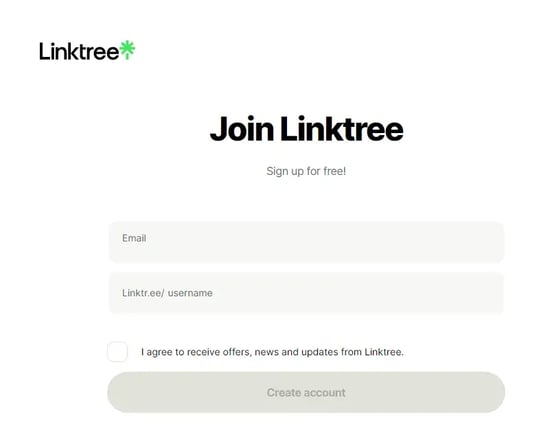
1. Head to Linktree to create your free account.
I did this on my laptop, but they have an app, too. I recommend choosing a username that’s memorable and reads well as a link; your username will be your Linktree URL.
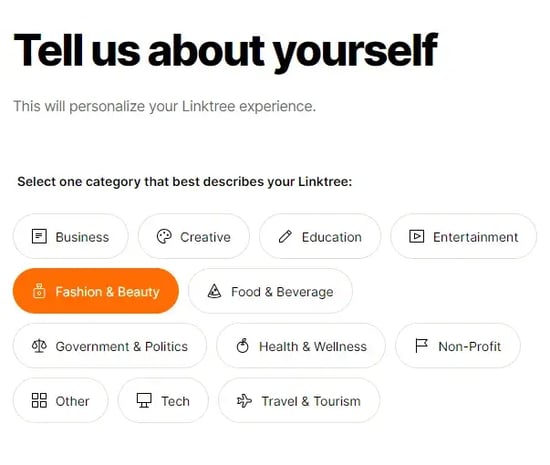
2. Give Linktree information about your account category.
I chose Fashion & Beauty here, but you have the option to select Entertainment, Business, or even Other. Hit “Continue” when you’ve chosen.
3. Select your plan type.
I don’t even mind that Linktree automatically recommends the Pro plan instead of Free or Starter. Pro is packed with features and a good bang for your buck.
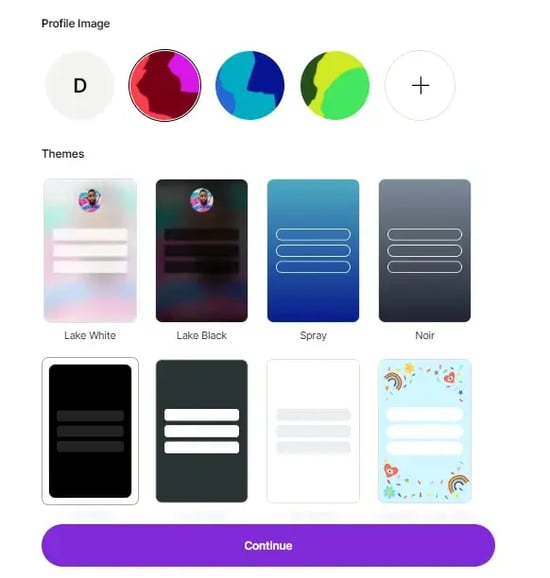
4. Choose your page’s appearance (or put it off till later).
On the Free plan, Linktree lets me upload a profile image and choose from about eight themes. Of these basic themes, nothing really stood out to me — but hey, did I mention it’s free?
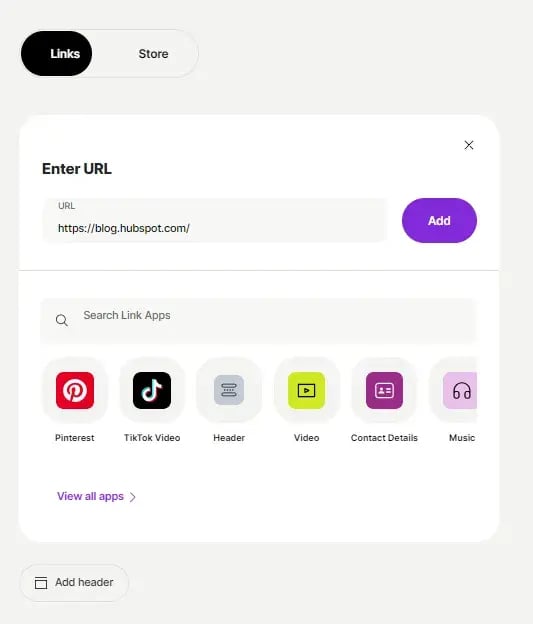
5. Add your first new link.
I added the HubSpot Blog link here to show you how it’s done.
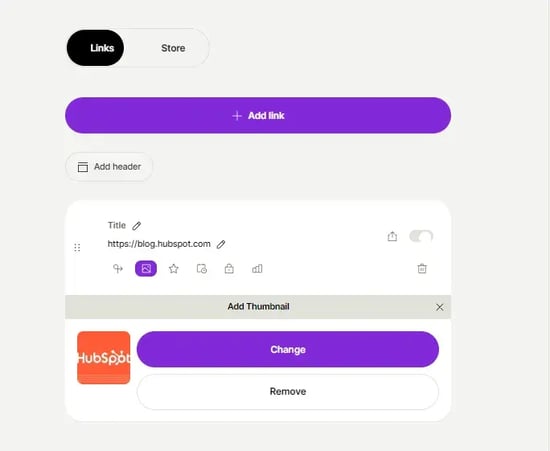
6. Add a title, header, and thumbnail (optional).
7. Add as many links as you want, then see what your Linktree looks like.
I added one link here for visual reference, but I strongly recommend you add multiple. Otherwise, there’s not much point in creating a Linktree, as it’s meant to condense several links.
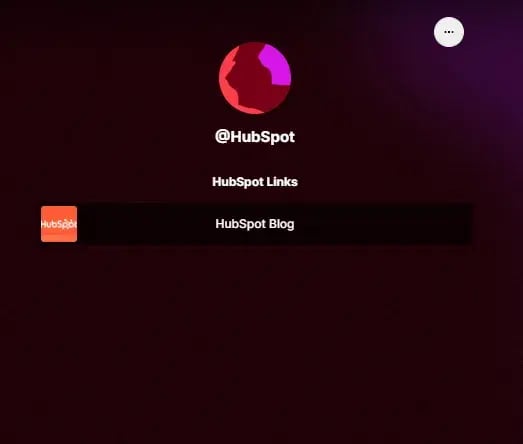
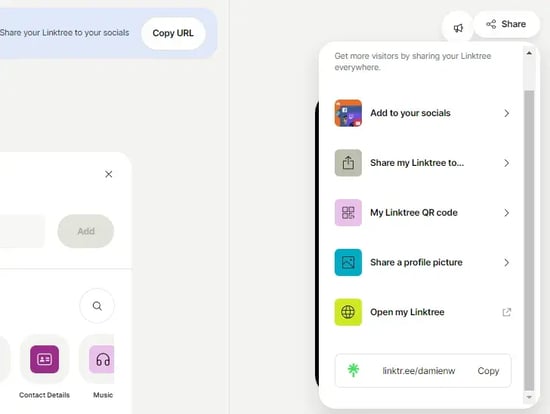
8. Copy your Linktree URL or directly share it to your social media account.
It’s pretty easy for me to copy my Linktree URL and add it wherever I like. Linktree has other options that streamline the sharing process if you feel inclined. You also get a snazzy QR code.
Linktree Tips to Thrive
Choose relevant names for your links. I recommend being concise and descriptive when choosing your link title. For the above example, I used “HubSpot Blog” (original, right?). Most importantly, stay consistent with capitalization to create a clean, professional look.
Only include the most important links. Overloading on links is counterintuitive to what Linktree is. Marisa Messick, founder of Quill & Co Design, agrees.
“People forget that [Linktree is] supposed to act as a stepping stone to your main links. You want to keep it within three to five links so people don’t feel overwhelmed and ultimately don’t go where you want them to.”
Continually monitor your Linktree. Occasionally revisit your page to ensure you don’t have old, irrelevant, or broken links in there. Even if you plan to show the same links all the time, I recommend you change the order up occasionally. That way, the lonely links lower down the list get some love.
Great Linktree Examples
Patsy’s
My first example is a Brooklyn, New York-based dessert company called Patsy’s. The business, which makes Caribbean rum cakes from high-quality ingredients, has a Linktree in their Instagram bio.
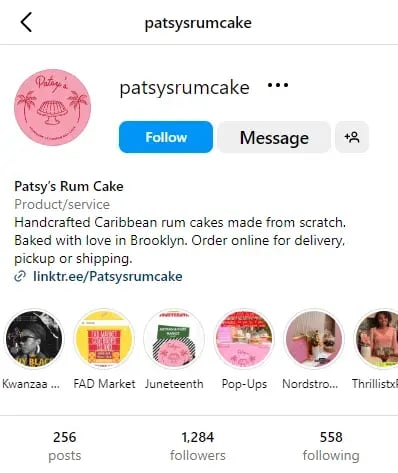
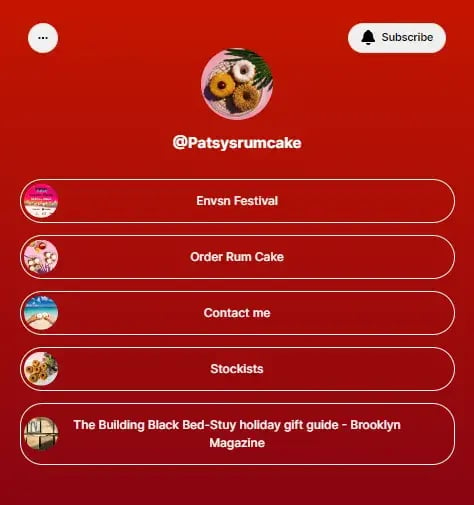
What I like: Patsy’s Linktree is short but sweet (pun intended). It includes a button for ordering, a contact page, and a link to stockists. It also links to a Brooklyn Magazine article the company is featured in.
Sean Garrette
Sean Garrette is a New York-based content creator, skincare expert, and esthetician. Their X account features a Linktree URL, which drives audience engagement.
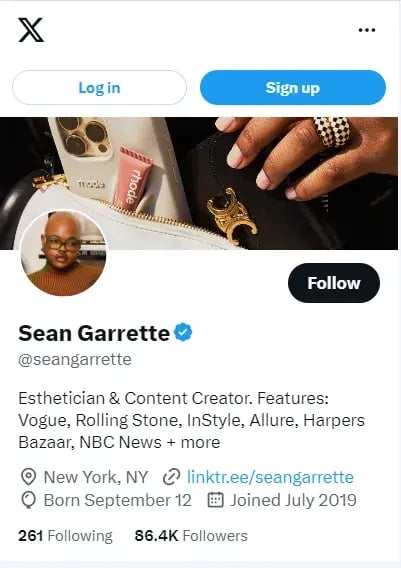
What I like: I appreciate the info-packed link descriptions. For example, there are clearly marked affiliate links — and even discount percentages and codes — without looking too busy. Sean also included a link to the content pieces people seek out most.

HubSpot
While we are looking at great uses of Linktree, it would be a shame not to check out HubSpot’s Instagram as well.
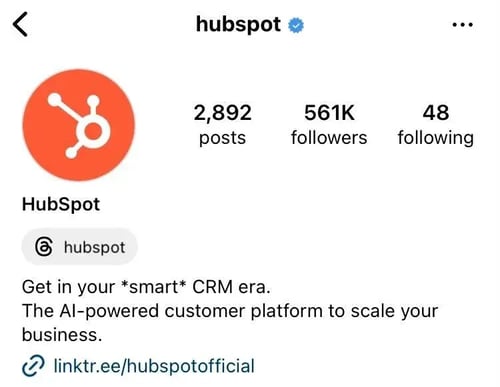
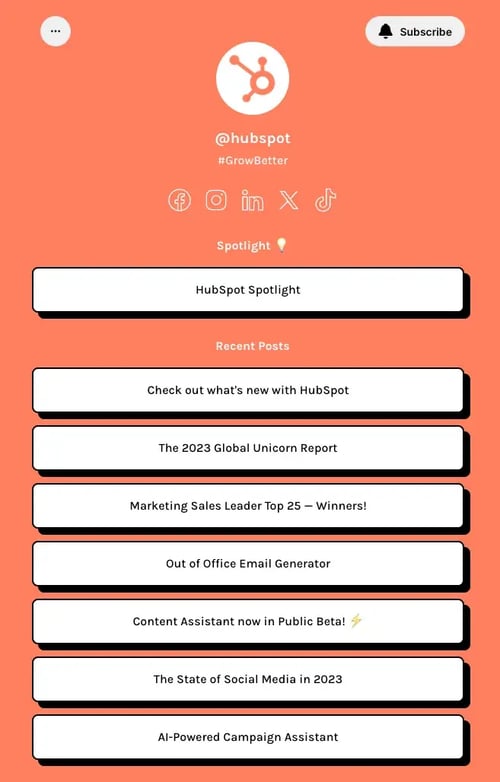
What I like: HubSpot’s Linktree design is branded to a tee, leveraging everything from our famous orange to a branded hashtag. With social links, and a lot of content links, this is a very ambitious Linktree setup, but HubSpot manages to keep everything clean and actionable.
The Final Verdict on Using Linktree
Now that you know what Linktree is and how it works, should you use it because everyone else does? Probably.
Linktree is easy to set up and has decent customization options, even on the most basic plan. The layout is clean. The URL is recognizable to many social media users, helping you drive traffic without users worrying about suspicious links.
Sure, you could build your own link-sharing landing page, but it’ll take more time. What’s more, I know many big brands with high-quality websites and a Linktree — make of that what you will.
The basic navigational menu has branched out with some nifty features for under $10 a month. You won’t lose a cent by testing the free plan, so what are you waiting for? You’ll be able to share multiple high-impact links with your audience all at once, giving them more ways to interact with your business and become engaged in what you have to offer.
Editor’s Note: This post was originally published in Dec. 2021 and has been updated for comprehensiveness