
A visual IVR (interactive voice response) is an automated customer support platform that blends voice-only IVR technology with a visual user interface to provide customers with a more personalized and efficient way to contact and get help from customer support.
When customers interact with it by calling a number and electing to receive a sharable link (either by text, email, social media, or another format), they are taken to an interactive destination where they can solve many of their own customer service issues right from their device.
In comparison, with traditional (or non-visual) IVR, customers are often stuck navigating an automated menu or asking to speak with a representative right away. This forces them to wait a bit longer before starting the real customer service process.
If implemented well, visual IVR can offer a number of key benefits, including:
- Improving the customer’s user experience (UX) and offering more self-service options
- Making the customer journey better by cutting out much of the friction, confusion, and complexity that can come with traditional IVR
- Increasing agent efficiency and productivity
- Boosting customer convenience and satisfaction
- Decreasing call abandonment rates and average handle time
- Raising first call resolution rates
- Shortening hold times and call queues
Keep in mind that putting together a good visual IVR is difficult work, so most implementations of visual IVR will come with a few drawbacks. Many of the consequences of a poorly done system end up being about how much clunkier it turns out compared to other service options like chatbots and live communicating with human agents.
In these cases, customers are often faced with options that are too limited, or they have a reluctance to make a call in order to get redirected to a different platform on their device in the first place. At the end of the day, certain people will continue to prefer being helped by a live human (or they just love IVRs the way they are), so the adoption rate may not be as high as it could be.
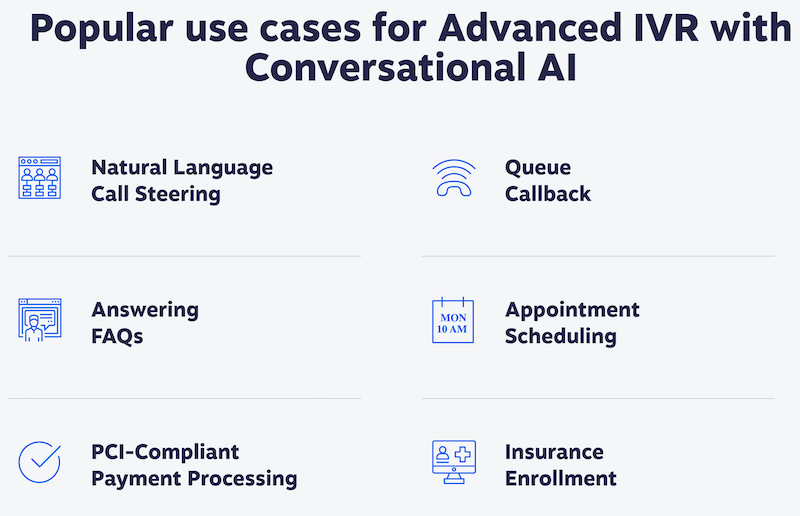
Still, visual IVR offers many advantages compared to traditional IVR and it can have a huge impact when used at the right time. In particular, there are five fairly clear use cases in which visual IVR can be leveraged to improve customer service experiences.
1. Appointment Scheduling
Scheduling an appointment with visual IVR is a super simple and straightforward process; customers call a number first, request to receive a calendar link via SMS text or another format, and then they manually schedule an appointment via the platform on the end of that link.
This process offers many benefits compared to traditional scheduling methods. For example, it allows customers to see the times and dates that work for them on a visual calendar, so it’s likely to minimize confusion and increase containment rates. At the same time, since the customer’s input is recorded and integrated with the team’s official calendar, it also decreases the repetitive workload on live agents, allowing them to focus on more important tasks.
Customers can also request SMS text appointment reminders, hopefully decreasing the number of no-shows at appointments.

2. Bill payment
Visual IVR provides many advantages over traditional IVR for bill payment, as it allows customers to see how much they owe before completing any payments manually. This can decrease confusion for certain complicated payments and boost customer satisfaction.
To pay bills with visual IVR, customers just have to call, request a link, and use it to access a payment portal. There, they can pay off any outstanding bills they have by navigating the user interface and submitting the necessary card or banking details
3. Customer self-service
In addition to true actions like paying bills and scheduling appointments, visual IVR can also be used for more observational or passive customer self-service options.
These self-service tasks include looking up balances, checking account details, and updating contact information.

After calling, customers can request a visual IVR link and complete any self-service tasks on their end. This way, the customer doesn’t have to bring everything to the table themselves, thus minimizing confusion and making their experience more enjoyable overall.

4. Customer satisfaction surveys
Customer satisfaction surveys will often use visual IVR to make the process more personalized and interactive.
While many customer satisfaction surveys are offered to customers using traditional IVR, the visual IVR process is a bit different. Instead of answering questions and pushing buttons on the phone with traditional IVR, visual IVR allows customers to request a link via SMS or other format and give their feedback using an interactive, web-based user interface.
Visual IVR offers many advantages over traditional IVR surveys, as it can lead to faster completion times and a potentially higher response rate, helping businesses gather valuable data more efficiently.
5. Ecommerce
Many aspects of ecommerce can be leveraged using visual IVR, including ordering and tracking products, renewing or canceling subscriptions, and activating products.
To access visual IVR for ecommerce purposes, customers (once again) need to call, request an interactive link, choose an option, complete their task, and submit it.
Altogether, visual IVR provides a number of advantages over traditional IVR in an ecommerce environment—such as offering a more active customer experience with less waiting and less reliance on help from a representative. This saves time for both customers and agents alike.
Invest in Visual IVR To Improve Your Customer Service
From appointment scheduling to ecommerce and more, visual IVR can pay dividends for your contact center.
That said, the key is to implement it in effective ways that truly make sense for your customers. Remember to minimize manual tasks and provide ample options so that your contact center can be more responsive, useful, and a pleasure to interact with.