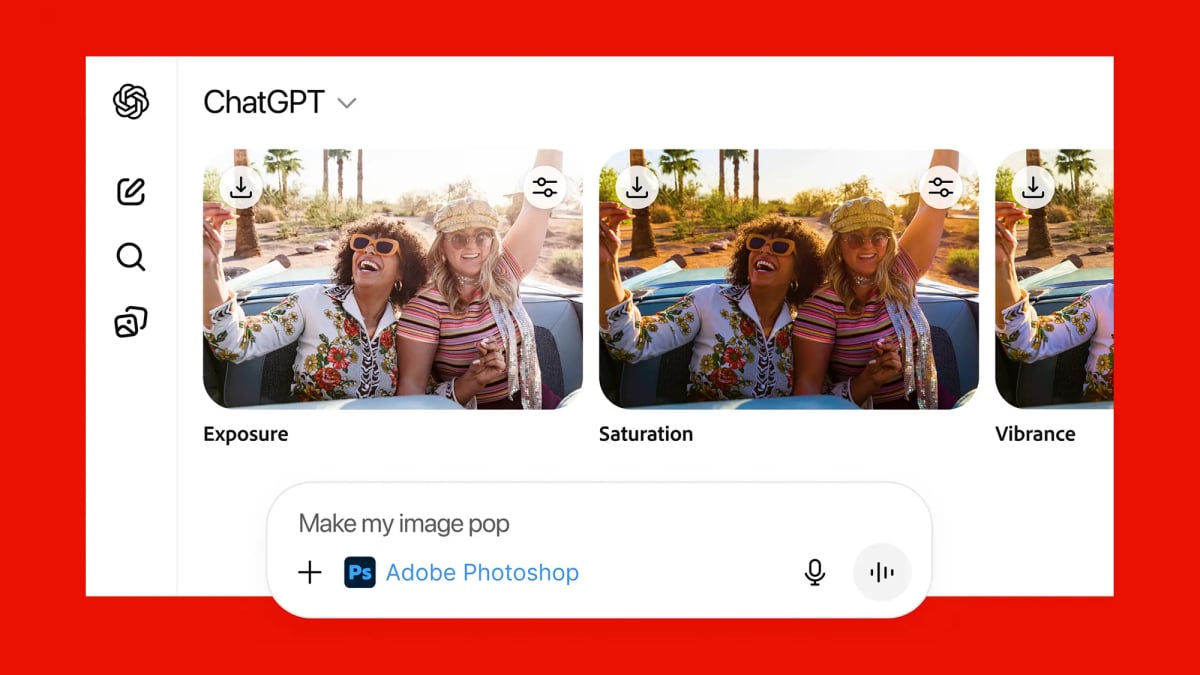

Generative AI tools continue to improve in terms of their photo editing capabilities, and OpenAI’s latest upgrade brings Adobe Photoshop right inside your ChatGPT app window (alongside Adobe Acrobat for handling PDFs, and Adobe Express for graphic design). It’s available to everyone, for free—you just need a ChatGPT account and an Adobe account.
As per Adobe, the idea is to make “creativity accessible for everyone” by plugging Photoshop tools directly into ChatGPT. The desktop version of Photoshop already comes with plenty of generative AI features of its own, so this is AI layered on top of more AI—but is it actually useful?
How to get started with Photoshop inside ChatGPT
Adobe Photoshop, Adobe Express and Adobe Acrobat are available now inside ChatGPT on the desktop, on the web, and on iOS. At the time of writing, you can also get Adobe Express inside ChatGPT for Android, with Photoshop and Acrobat “coming soon.” To weigh the capabilities of the new integration, I tested it in a desktop web browser.
To get started, all you need to do is type “Photoshop” at the start of your prompt: ChatGPT should recognize what you’re trying to do, and select Adobe Photoshop as the tool to use for the next prompt. You’ll also need to click through a couple of confirmation dialog boxes, and connect an Adobe account (if you don’t have one, you can make one for free).

You’ll need to connect ChatGPT to your Adobe account.
Credit: Lifehacker
With all the connections and logins completed, Photoshop is then added to the overflow menu in the prompt box, so just click on the + (plus) to select it. You can start describing what you want to happen using the same natural, conversational language you’d use for any other ChatGPT prompt. You do need to also upload an image or provide a public link to one—if you don’t do this before you submit your prompt, you’ll be asked to do it after.
You don’t need to know the names of all the Photoshop tools: Just describe what you want to happen and the relevant tools will be selected for you. One example Adobe gives is using the prompt “make my image pop,” which brings up the Bloom, Grain, and Lens Distortion effects—and each one can be adjusted via sliders on screen. It’s actually quite simple to use.

Simple adjustments can be made with on-screen sliders.
Credit: Lifehacker
If you do know the name of the tools you want, you can call them up by name, and the classic brightness and contrast sliders are a good place to start. You can either say something like “make the picture brighter” or “adjust the image brightness”—both will bring up an overlay you can use to make brightness adjustments, but if you use the former prompt, the image will already have been made a little brighter.
ChatGPT and Photoshop let you add edit upon edit as needed, and you can save the image at any stage. There’s also the option to open your processed file in the Photoshop web app whenever you like: This web app uses a freemium model, with advanced features requiring a subscription, and seems to be what the ChatGPT integration is largely based on.
What you can do with Adobe in ChatGPT
Adobe offers a handy ChatGPT prompts cheat sheet you can browse through, which gives you a good idea of what’s possible, and what you’re still going to need Photoshop proper for. Note that you can specify certain parts of the image to focus on (like “the face” or “the car”) but this depends on Photoshop-in-ChatGPT being able to correctly figure out where you want your selection to be. It needs to be pretty obvious and well delineated.
When I tried cutting out objects and removing backgrounds, this worked well—but then I had to turn to Photoshop on the web to actually drop in a different background. There’s no way to work with layers or masks here, and you can’t remove people or objects from photos, either. Sometimes, however, you do get a spool of “thinking” from ChatGPT about how it can’t do what the user is asking for.

What do you think so far?

Cut-outs are one of the tricks you can do.
Credit: Lifehacker
I was able to apply some nice colorizations here, via prompts like “turn all the hues in this image to blue,” and I like the way ChatGPT will give you further instructions on how to get the effect you want. You can even say “show some examples” and it gives you a few presets to choose from—all of which can be adjusted via the sliders again.
The ability to run prompts like “turn this into an oil painting” or “turn this into a cartoon” are useful too, though the plug-in is limited by the effects available in Photoshop for the web: You’ll be directed to the closest effect and advised how to tweak it to get the look you want.
Actually, some of these effects work better in ChatGPT’s native image editor, which maybe explains why Adobe wanted to get involved here.

ChatGPT removed someone from this picture, no Photoshop required.
Credit: Lifehacker
If ChatGPT’s image manipulation gets good enough, then Photoshop is no longer going to be needed by a substantial number of users: ChatGPT can already remove people and objects from photos, for example, quite effectively. What it’s not quite as good at is some of the basic adjustments (like colors and contrast) that Adobe software has been managing for years.
For quick, basic edits you want to type out in natural language—especially where you want to adjust the edits manually and need advice on what to do next—Photoshop inside ChatGPT is a handy tool to be able to turn to, especially as it’s free. For serious edits, though, you’re still going to want to fire up the main Photoshop app, or maybe even shun Adobe altogether and make use of ChatGPT’s steadily improving editing tools.